Ways to change a live app without shipping a release
Shipping without a releaseGuide15 min readMiniwall team
Updated : Added a section for the people who decide, with the posts on cost, ownership and governance.
On this page
You can change a live app in about eight ways, and none of them is free. The useful question isn't which one is best. It's what you're trying to change, because each approach can move a different kind of thing and breaks in its own way. Pick the lightest one that covers the change you actually have.
Steps in order, with who does each: Your change or Lightest tool.
- Your change: A number or an on/off switch
- Lightest tool: Remote config or a feature flag
- Your change: Words or images edited by non-developers
- Lightest tool: A CMS or remote content
- Your change: Which blocks a screen shows, and in what order
- Lightest tool: Server-driven UI
- Your change: New app logic
- Lightest tool: A release, rolled out in stages
Here's the situation that sends people looking. A change is ready: a new headline, a different offer, a screen reordered. In a shipped native app, getting it to users means a build, a store submission and a wait for people to update. The change is small and the path is long.
Below, each approach gets the same questions: what it changes, what it can't, what it costs, when we'd pick it and when we wouldn't. A comparison table follows, then a way to choose.
1. Ship more often, and roll out in stages
The boring answer comes first because it's often the right one. If your team can release every few days with a staged rollout, a lot of the pain goes away without adding any machinery.
What it changes: anything. It's a normal release, so code, native modules and screens are all fair game.
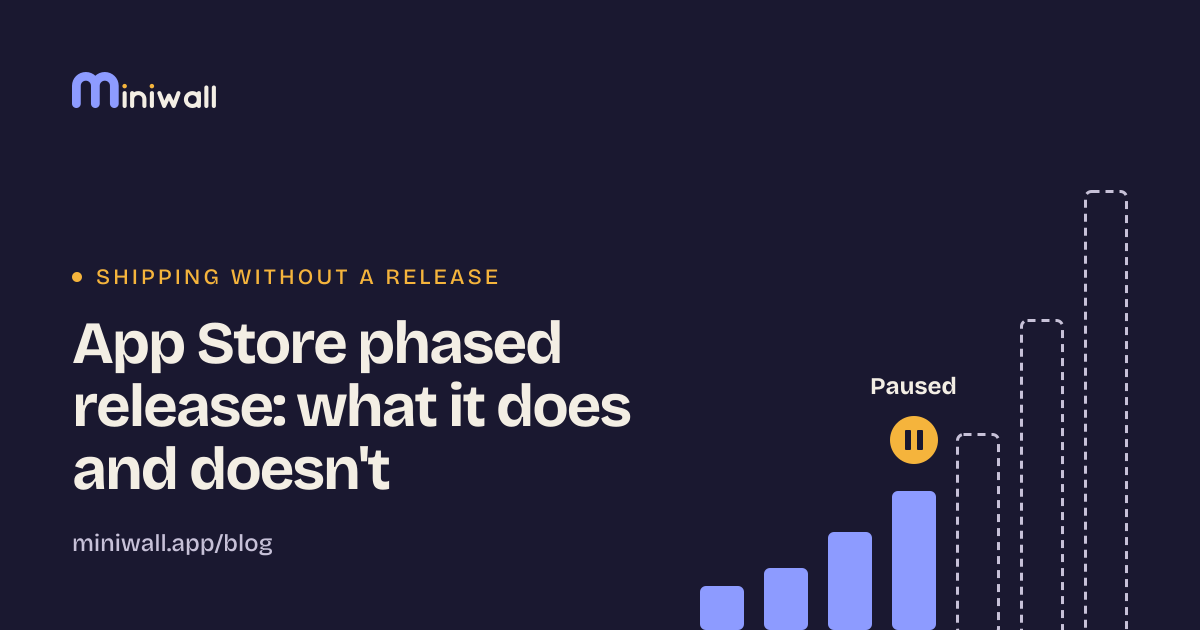
What it can't do: reach people who haven't updated. On Apple's side, a phased release hands the update to a random sample of users who have automatic updates on, over seven days (1%, 2%, 5%, 10%, 20%, 50%, then everyone). You can pause for up to 30 days in total. And anyone can still download the update manually at any time[3]. So "staged" shapes who gets it first. It doesn't give you a way to take it back from the people who already have it.
Cost and risk: the work of keeping releases small and cheap: tests, a pipeline, someone watching crash rates while the percentage climbs. The review wait remains.
We'd pick it when the change is real logic, or when you have one platform and a team that already releases often.
We wouldn't rely on it when the thing you want to change is copy, an offer or a layout that marketing wants to move this afternoon. A fast release train is still a release train.
2. Feature flags
A flag is a branch in your code that you can flip without a deploy. Both paths ship in the build. A remote value decides which one runs.
What it changes: which existing behavior a user gets. Turn a feature on for 5% of people, off for everyone after an incident, on for staff only.
What it can't do: create behavior that isn't already in the build. A flag chooses between code you shipped. If the new path wasn't in the binary, there's nothing to flip.
Cost and risk: flags are cheap to add and easy to forget. Every flag you leave behind is two code paths to test and one more thing a new teammate has to understand. The vendor-neutral API for flag evaluation is the part that's become standard: OpenFeature describes itself as an open specification for "a vendor-agnostic, community-driven API for feature flagging"[8], which keeps your code from being tied to one flag service.
We'd pick it when you're releasing something risky and want a way to turn it off, or when you want to expose a finished feature to a few people first. See the next section for the related, but different, case of tuning values, and feature flags vs remote config vs CMS for telling the three apart.
We wouldn't use it when you're tempted to turn it into a permissions system or a content store. A flag that says "this user may export" and a flag that says "show the spring banner" age very differently, and the second one should be deleted by next month. Put an owner and a removal date on every flag when you create it.
3. Remote config
Remote config is a key-value store the app reads on launch: a price label, a timeout, the number of items on a shelf, a URL.
What it changes: values the code already reads. Same shape as flags, but the value is a number or a string rather than a branch.
What it can't do: anything structural. You can change what a button says if the code reads the label from config. You can't add a button.
Cost and risk: timing. Values arrive over the network and get cached. In Firebase's JS SDK, for example, fetching and applying are separate steps: one call fetches and caches the config, and another makes the last fetched config available to the getters[7]. The same SDK documents a default minimum fetch interval of twelve hours[12]. We'd read that as a reminder that "I changed it" and "every user sees it" are different events. The practical rule we'd follow, and this one is our opinion, is to apply new values at the next launch, not in the middle of a screen the person is already looking at.
We'd pick it when the change is a parameter. Thresholds, copy that is a single string, timeouts, kill switches.
We wouldn't use it when you find yourself encoding whole screens as dozens of keys. That's server-driven UI the hard way, without a schema, and it gets messy fast.
4. OTA updates for React Native and similar apps
In apps built on a JavaScript runtime, the JavaScript bundle and assets can be fetched from a server after install. Expo's EAS Update is one documented example: the update manifest lists assets such as images, JavaScript bundles and fonts[4].
What it changes: the JavaScript layer and assets, for builds that can run that bundle.
What it can't do: change native code. Expo's docs describe a native layer built into the app's binary, and they tie compatibility to a runtime version that must match exactly between a build and an update[4]. If your change needs a new native module, it needs a new build.
Cost and risk, part one, the technical one: you now run two release channels with two compatibility rules. Expo supports rolling out an update to a percentage of users and reverting it[5]. That's useful, and it's also another system to learn to operate under pressure.
Cost and risk, part two, the store rules: read the rules for yourself. Apple's guideline 2.5.2 says apps may not "download, install, or execute code which introduces or changes features or functionality of the app"[1]. Google's page on dynamic code loading says many forms of it, "especially those that use remote sources", violate Google Play policies[2]. Expo's own documentation tells you to follow the rules of the platforms you build for, and says changes to an app's behavior usually need to be reviewed[6]. We haven't read Apple's developer license agreement or Google's full developer policy text for this post, so we're not going to tell you where exactly the line sits. We're not lawyers, and the rules change.
One more thing about vendors. Microsoft's CodePush for React Native was retired along with App Center on March 31, 2025, and its repository was archived on May 20, 2025[9]. If your release path depends on a hosted service, ask what happens when it goes away.
We'd pick it when you're already a React Native team, the changes are JavaScript or assets, and you have somebody who has read the store rules and owns the risk.
We wouldn't use it when the real goal is to let non-developers change copy or an offer. OTA lets developers ship JavaScript faster. It doesn't put an editor in front of marketing. And we wouldn't use it as a way to ship behavior the stores haven't seen.
5. Server-driven UI
The server sends a description of a screen, and the app contains a renderer that draws it. We wrote about the three levels of this in what server-driven UI is, so here's only the short version.
What it changes: text, images, which components appear and in what order, and the name of the action a button triggers.
What it can't do: run new logic. The code behind each action is in the app. Flutter's remote widgets package states the principle plainly: remote widget libraries are declarative and not code, so "they cannot represent executable closures"[11]. Whatever the server describes, the app has to know how to draw.
Cost and risk: a schema to maintain, a renderer to test, and the old-app problem: a phone can run a build from months ago that has never heard of your new component. Accessibility and polish also move into the renderer, which is good when it's built well. Every new component is a promise to every app version still out there.
We'd pick it when a screen changes often, runs on more than one platform, and the person who wants to edit it isn't the person who builds the app.
We wouldn't use it when the screen is dense with interaction, or changes twice a year, or you only need to change a number. Lighter tools win there.
6. A CMS, or content from a remote source
Many apps already show content from a server: articles, product descriptions, help pages. A CMS puts an editor in front of that content, with drafts, review and scheduling.
What it changes: content. Words, images, lists, who sees what, when.
What it can't do: change the layout the content sits in, unless you've built that layout to be configurable. A CMS makes copy editable. It doesn't make the screen editable.
Cost and risk: the model. Content that has a structure the app understands is useful. Free-form rich text dropped into a native screen is where things break: odd line lengths, missing translations, an image the layout never planned for. Someone also has to own freshness and caching.
We'd pick it when the editors are not developers and the thing changing is content that already has a home in the screen.
We wouldn't use it when you want to restructure the screen itself, or when the content is really a handful of parameters. That's remote config.
7. WebView, or embedding a web page
Show a web page inside the app. Because the page lives on your server, you change it like any website, on any schedule.
What it changes: everything inside the web view, completely.
What it can't do: feel native for free, and reach native features without a bridge. It also doesn't fix the other end: the shell that hosts the page is still in the shipped app. On Android, the docs say a WebView "doesn't include the features of a fully developed web browser" and that by default all it does is show a web page[10]. If you connect JavaScript to your app code, Android warns that it can become "a dangerous security issue" when the page content isn't entirely yours[10].
Cost and risk: store review too. Apple's guideline 4.2 says an app should include features, content and UI that "elevate it beyond a repackaged website"[1], and 4.7 sets conditions for HTML5 and JavaScript mini apps offered inside an app[1]. A web view for one screen is a different thing from an app that's mostly a web view, but the guidelines are the place to check, not us.
We'd pick it when the screen is already a web page (a help center, a settings portal) and nobody expects it to feel native.
We wouldn't use it when the screen is the core of the product experience, or when it takes input where keyboard handling, accessibility and performance need to match the rest of the app.
8. Change the server, and keep it compatible
Sometimes the change you want lives in the API response. Add a field, fix a calculation, return a different list. The app doesn't change at all.
What it changes: anything the app already knows how to show or do with a server response.
What it can't do: tell an old app how to use something it has never seen. The tail of old versions is the whole difficulty. Because people can update on their own schedule (even in a phased release, anyone can download the new version manually[3]), a server that serves several app versions at once has to stay compatible with all of them.
Cost and risk: discipline. Add fields instead of renaming them. Treat unknown values as ignorable. Keep a note of which app version understands what. It's unglamorous, and it's the foundation under most of the other approaches in this list.
We'd pick it as the default for any change the existing client can already express.
We wouldn't count on it when the old client would misread the new response. Then you need the app to ship first, and the server after.
The whole list in one table
| Approach | What it can change | Needs a store release? | Main risk | Who can edit |
|---|---|---|---|---|
| Frequent releases, staged | Anything | Yes, each time | Slow tail of people who haven't updated | Developers |
| Feature flags | Which built-in behavior is active | No, if both paths already shipped | Stale flags, hidden combinations | Developers, often PMs through a dashboard |
| Remote config | Values the code already reads | No | Timing and caching of new values | Developers, often PMs |
| OTA (JS runtime apps) | JavaScript and assets, for compatible builds | Not for compatible JS and assets; yes for native changes | Store rules, vendor dependence | Developers |
| Server-driven UI | Components, order, text, action names | No, for components the app already has | Schema upkeep, old app versions | Non-developers, if an editor exists |
| CMS or remote content | Content inside a fixed layout | No | Content that doesn't fit the layout | Editors |
| WebView | Everything inside the page | No for the page; yes for the shell | Store review, feel, security of the bridge | Web developers |
| Compatible server change | What the client already understands | No | Old clients misreading new responses | Backend developers |
Swipe sideways to see every column.
The "needs a store release?" column is our reading of how each approach works, plus the Expo documentation for the OTA row[4]. It isn't a statement of what any store will approve.
Start with the lightest thing that works
Our rule is simple: begin at the lightest approach that can express the change, and move to a heavier one only when the lighter one can't.
- Can the existing client already do it? Then change the server (section 8).
- Is it a value or a switch? Remote config or a flag.
- Is it content with a fixed home? A CMS.
- Is it the arrangement of a screen, changing often, edited by non-developers, on several platforms? Server-driven UI.
- Is it JavaScript in an app that already supports OTA, owned by a team that has read the rules? OTA.
- Everything else? Ship a release, in stages, and make the next one cheaper.
Two things hold across the list. Each approach you add is something you maintain, so we'd rather run two well than five badly. That's our opinion, not a measurement. And every one of them needs a way back: a flag you can flip, a config value you can restore, a previous screen version you can republish. If you can't say how you'd undo the change, you aren't ready to make it without a release.
Deploy is not release
One idea sits under the whole list. Putting code on production and showing it to users are two decisions, usually made by different people. Deploying is an engineering action. Releasing, meaning deciding who sees what and when, is often a product or growth decision.
Flags, config, CMS and server-driven screens are all ways to separate the two. Code goes out once, and exposure is controlled afterwards. That's worth having. It's also why people over-apply it: separating the decisions doesn't make the second one safe. Someone still needs to preview a change, own it, and be able to reverse it.
Before
Deploy and release together
- Merge
- Deploy
- Everyone sees it
After
Deploy first, release later
- Merge
- Deploy
- Switched off
- Shown to a few
- Shown to everyone
If you're the one deciding
The list above is about what is possible. These posts are about whether and how to do it:
- The hidden cost of waiting for an app release: price the wait with your own numbers.
- Your campaign is ready, but the release isn't: what a growth team loses to the calendar.
- Migrate one screen to server-driven UI, not your app: a first step you can undo.
- Build your own remote UI platform, or use one?: what an in-house platform includes, and what you rent.
- Who should own remote UI: engineering, product or growth.
- How to govern remote UI changes: review, approval and the way back.
- How to tell if remote UI is paying off: measure it against where you started.
- How many tests can your release train afford?: count what your calendar allows.
- What App Review says about screens from a server: the store rules, and what to tell reviewers.
Sources
- Apple, App Review Guidelines (2.5.2, 4.2, 4.7) (opens in a new tab)developer.apple.com · accessed
- Android Developers, Dynamic code loading (opens in a new tab)developer.android.com · accessed
- Apple, Release a version update in phases (App Store Connect help) (opens in a new tab)developer.apple.com · accessed
- OpenFeature specification repository (opens in a new tab)github.com · accessed
- Microsoft, react-native-code-push repository (archive notice) (opens in a new tab)github.com · accessed
- Android Developers, Building web apps in WebView (opens in a new tab)developer.android.com · accessed