A renewal reminder that spares people a surprise charge
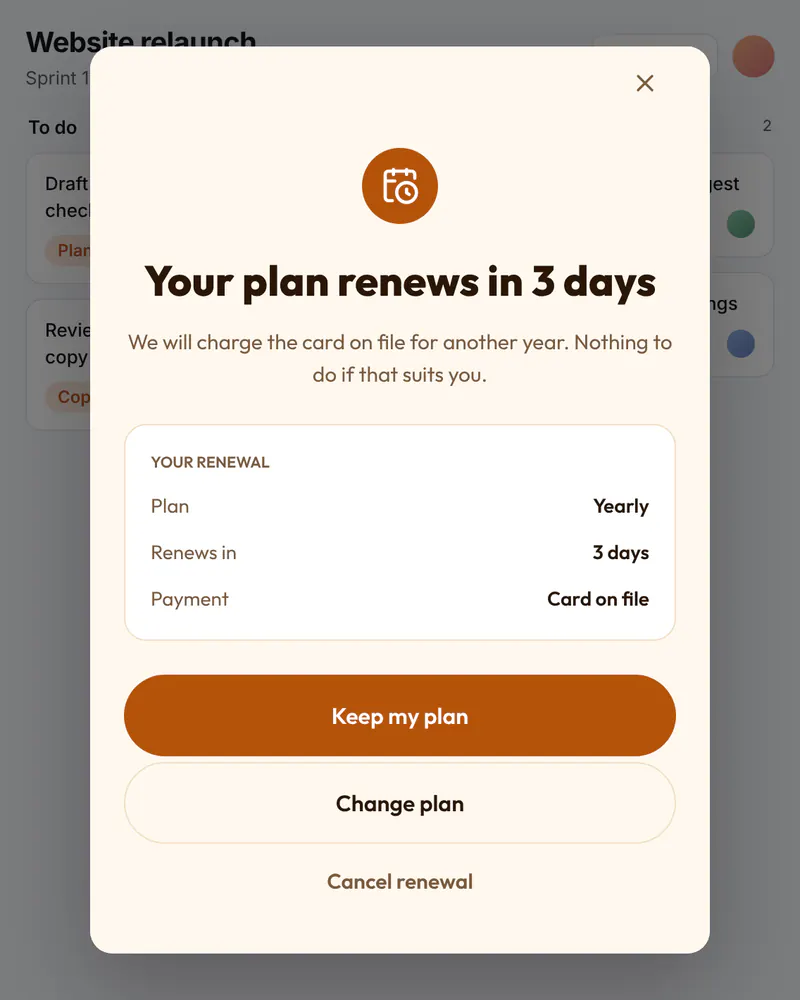
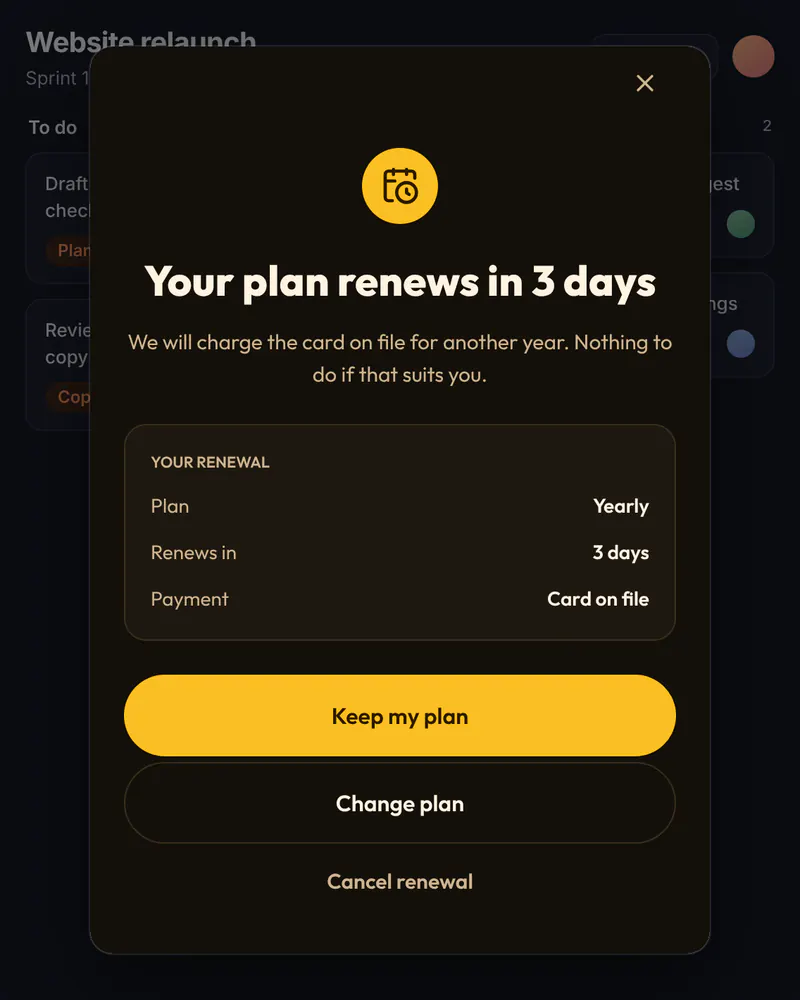
A charge people did not expect becomes a dispute. A calm note a few days before renewal says what happens, and gives three clear ways forward. You can change the words any day.
- Display
- Popup
- Where
- Centered over a dimmed page
- When it shows
- When your code opens it
- Starts from
- Renewal Reminder template
Try it. This is the real thing.
The phone runs the same Web SDK your site would load, with the template exactly as it ships. Tap a button and see what your code would receive. Prices here are examples; your site passes the real ones.
The button below opens it as a popup over this page, the way it appears on a site.
Tap anything, and scroll inside the phone for the rest. Your site gets the event.
When to use it
- A few days before a yearly plan renews, the next time the person opens the product.
- After a price change that applies at the next renewal.
- When you want fewer disputes and refunds after annual charges.
What goes on it
- A headline that says when the plan renews.
- A line on what will be charged, in your own words.
- A Keep my plan button that simply closes the screen.
- A Change plan button and a quiet Cancel renewal button.
Set it up in three steps
Start from the Renewal Reminder template
Set the number of days and the wording. Say only what your product does, including the amount if you want to show it.
Give it a placement
Name it something like renewal_reminder. Your code asks for it when your account data says the renewal is near. Miniwall does not know when a plan renews.
Send the buttons to your billing page
Change plan sends change_plan and Cancel renewal sends cancel_renewal to your code. Your code opens your own billing page or portal. Miniwall does not handle cards or money.
The code on your site
Prices and checkout stay in your product. The screen itself comes from Miniwall, so a new version reaches your site without a release.
// account, openPlanPage and openCancelPage are your own.
// Miniwall does not know when a plan renews.
if (account.renewsInDays <= 3) {
  await UIKit.presentPaywall({
    paywall: { placement: "renewal_reminder" },
    onAction: ({ actionId }) => {
      if (actionId === "change_plan") openPlanPage();
      if (actionId === "cancel_renewal") openCancelPage();
    },
  });
}
Good to know
- How does Miniwall know a plan renews soon?
- It does not. Your backend knows, usually from your billing provider, and your page opens the screen when it should show.
- Can I send it by email as well?
- No. Miniwall shows screens on your website or in your app. It does not send email or push, so keep your own renewal email if you want one.
Other moments
Popup
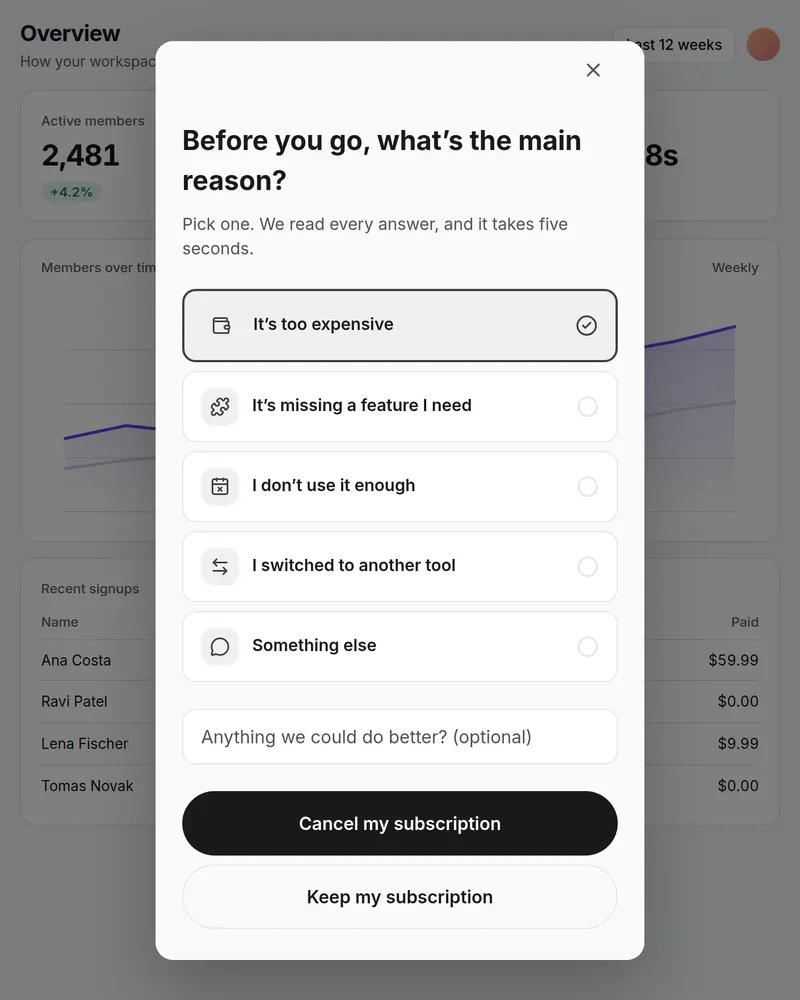
Cancel survey
One honest question before someone cancels. You see which reasons come up most.
See how it works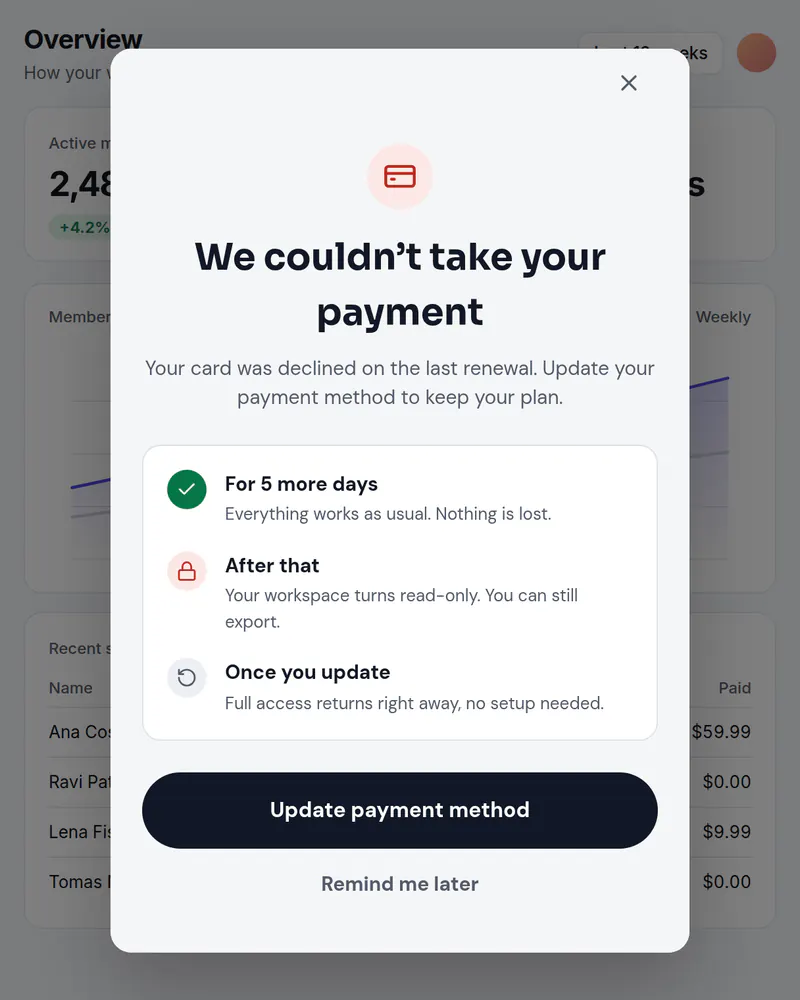
Popup
Failed payment notice
Tell people a payment failed and what happens next, with a button to fix it.
See how it works